Stop chasing pickup orders by hand
You mark an order "Ready for pickup", and nobody comes. Shopify sent one notice; after that, staff resend it one order at a time while the shelf fills up. RNS Pickup Reminders does the chasing for you.
Free plan · Pro $15 a month · 14-day free trial · billed by Shopify
↑ the waiting list
How it works
- Choose the timingafter how many days to remind, the send hour, and pickup hours for each location.
- Mark orders "Ready for pickup"in Shopify as usual.
- Customers who haven't come get a friendly reminderWhen they collect, click Mark as picked up in Shopify (or Mark collected in the app) and the reminders stop.
THE APP · 4 REAL SCREENS
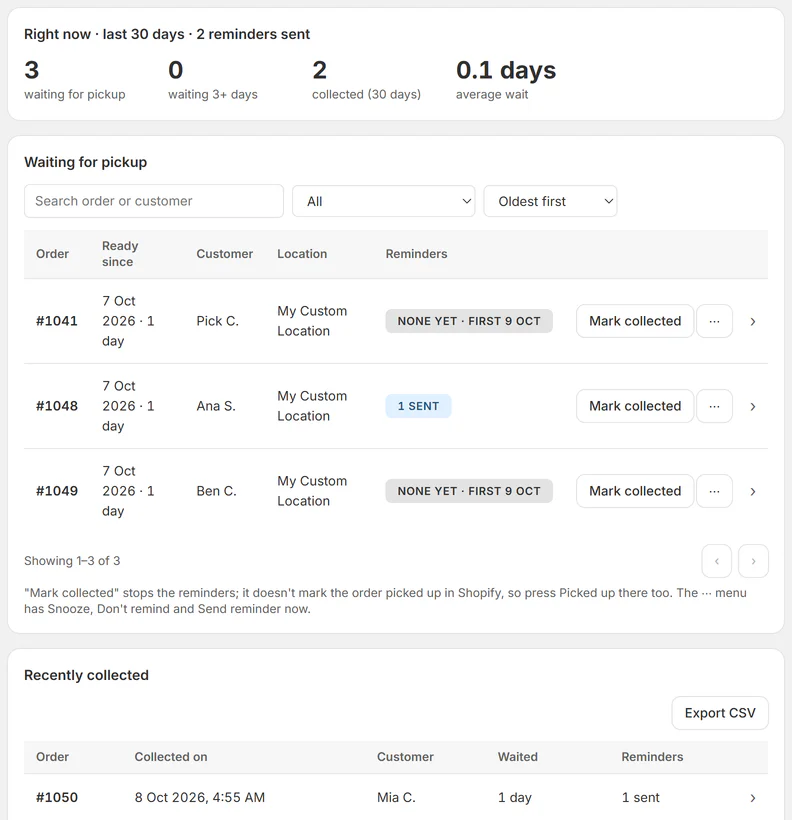
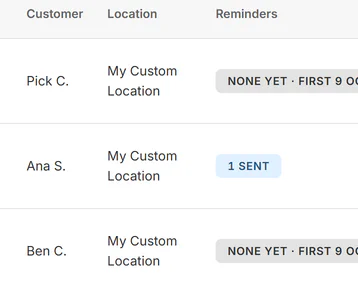
Home: orders waiting at the counter, reminders sent, one collected.
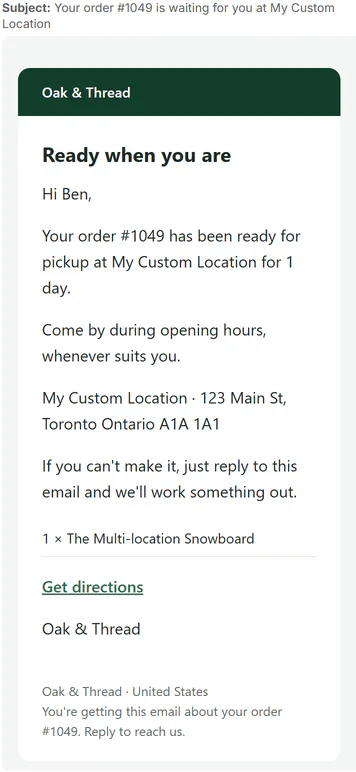
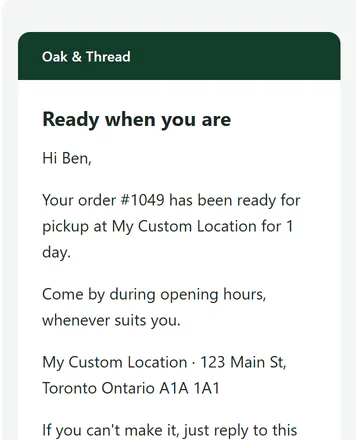
The pickup reminder email with location and order line.
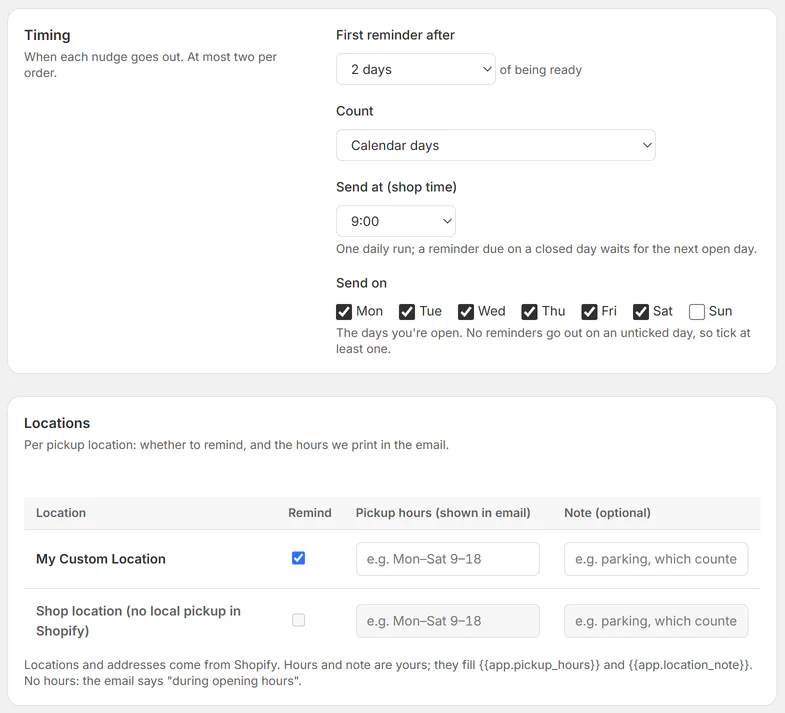
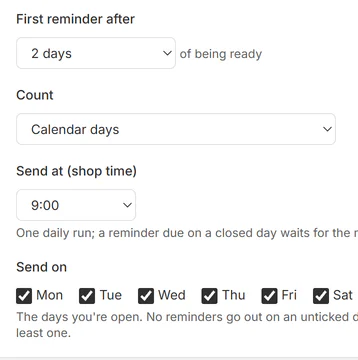
Settings: first reminder timing, send days and per-location hours.
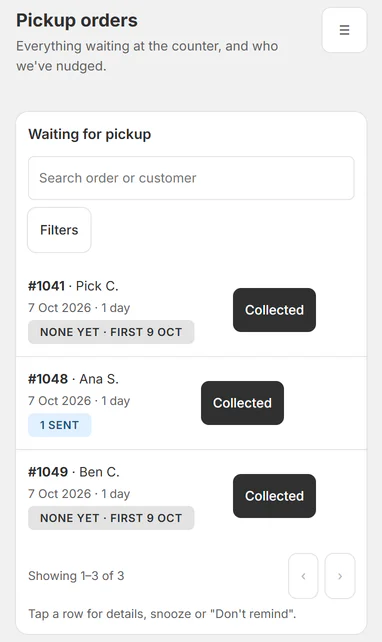
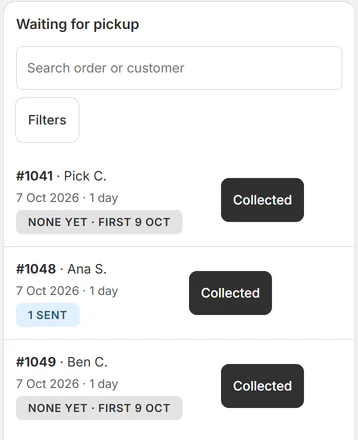
Phone counter view with a Collected button on each order.
THE APP · 4 SCREENS · SWIPE
What you get
- Reminds customers about pickup orders they haven't collected yet
- You choose the days, the send hour and which days of the week
- Final notice with the date you'll hold the order until (Pro)
- Counter view lists every order waiting for pickup, oldest first
- Mark collected in one tap; reminders stop by themselves
- Pickup hours and a note per location in the email
What it can't do
- It doesn't resend Shopify's own notification; it sends its own reminder from your shop's name.
- Orders made ready before you installed the app aren't listed.
- Free reminds from one pickup location.
Plans and price
- 20 reminders a month
- One pickup location
- First reminder
- Unlimited reminders, every location
- Final notice, hold period and Overdue flag
Questions
Which orders get reminders?
Local pickup orders you mark Ready for pickup after installing the app. Orders made ready before you installed aren't listed.
How do reminders stop?
When you click Mark as picked up in Shopify, or Mark collected in the app. Cancelled and archived orders stop too.
The email has no View your order button.
Shopify gives the order link only after the order changes once; most orders get it within minutes.
What does the app read about my customers?
The name and email on the order, the order number and the items.
Set up and use
6 steps
- Install the app: it opens on Home, already on Free (upgrade any time on the Plan page). Home checks that local pickup is on in Shopify (Settings › Shipping and delivery › Pickup in store).
- Settings › Timing: how many days before the first reminder (2 by default), calendar days or only open days, the send time (9:00 shop time by default) and the send days (Mon–Sat by default). Pro: the final notice a few days later (3 by default) and the hold period (7 days by default).
- Settings › Locations: per pickup location, remind on/off, pickup hours and a note for the email. Free reminds from one location.
- Email templates: Reminder 1 and Reminder 2 · final notice, in your wording and languages. Send yourself a test first: reminders go to customers from the start.
- Mark an order "Ready for pickup" in Shopify as usual. It shows on Home with the date of its first reminder.
- When the customer comes, click Mark as picked up in Shopify, or "Mark collected" here (also on a phone, the counter view). Snooze, Don't remind and Send reminder now are in the row's ⋯ menu and drawer.
Why RNS
- One counter list of every order waiting for pickup, oldest first
- Mark collected in one tap and the reminders stop
- A final notice with the date you'll hold the order until (Pro)
Learn more
- Guide: How to remind customers to collect local pickup orders in Shopify
- Help: email support@rnsapps.com with your store address. We answer within one working day.