Custom orders, from request to delivery
Shops that make each piece after it's ordered run four apps that don't talk: a form, a quote app, a status app and a delivery picker, plus a spreadsheet and a lot of "where is my order?" emails. RNS Made to Order is one path from the first request to the day it's delivered, on any Shopify plan.
- Free for 1 product type
- Deposits at Shopify’s own checkout
- Test mode at install: no customer emails
A request turned into a quote, accepted online with the deposit paid. Sample customer and amounts.
How it works
- The customer asksA request form on the product page takes sizes in their units, materials, photos and notes, and shows a price range as they fill it in. Every request comes with a short brief and a list of missing answers.
- You quote, they say yesTurn the request into a quote. The customer accepts online by typing their name and pays a deposit at Shopify's own checkout. Send drawings; they pin notes on them and approve, and every round is kept.
- You build, they followJobs move across your own stages on a board. The customer sees the stage, photos and an honest ready date, and hears when it changes.
- It's ready, they bookThe customer pays the balance and picks a delivery or pickup time, and can move it. You print the day's run sheet.
THE APP · 6 REAL SCREENS
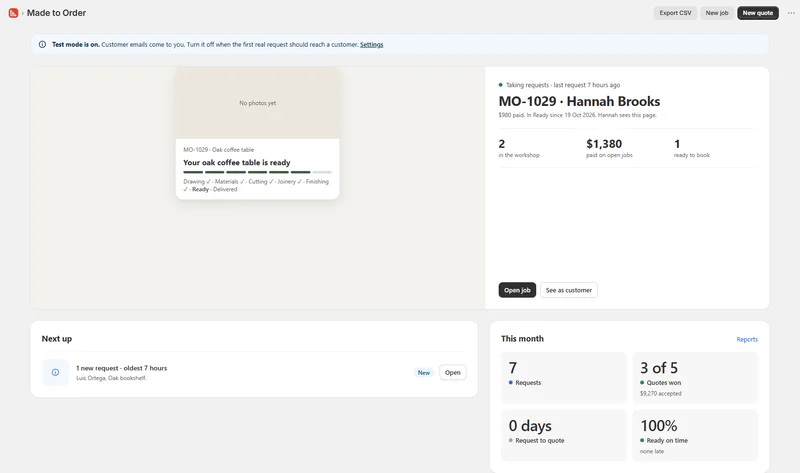
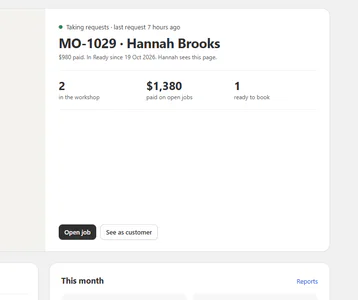
Home: the latest job as the customer sees it, the next thing to do, and this month's requests, quotes won and ready on time.
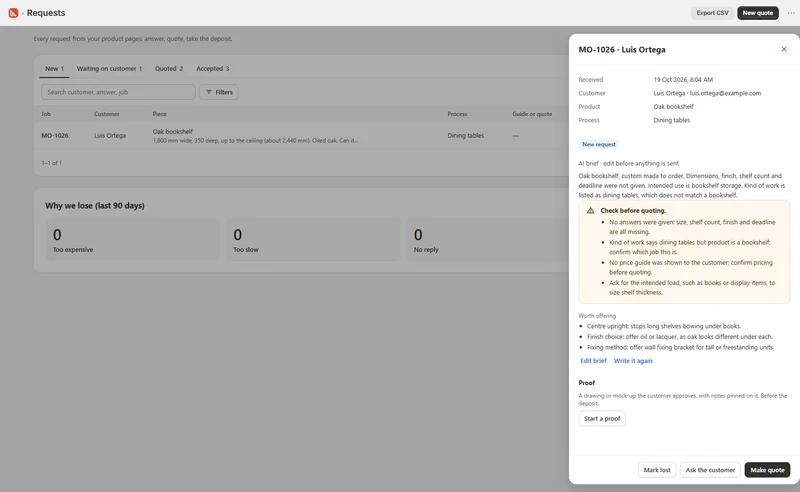
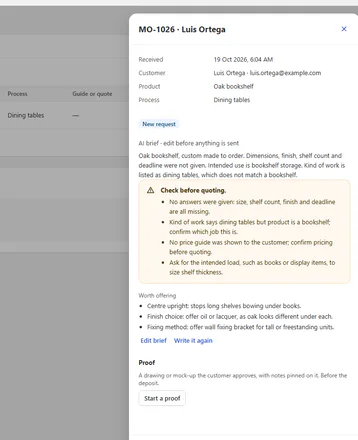
A request from the product page: the answers, a short brief, what to check before quoting and what to offer.
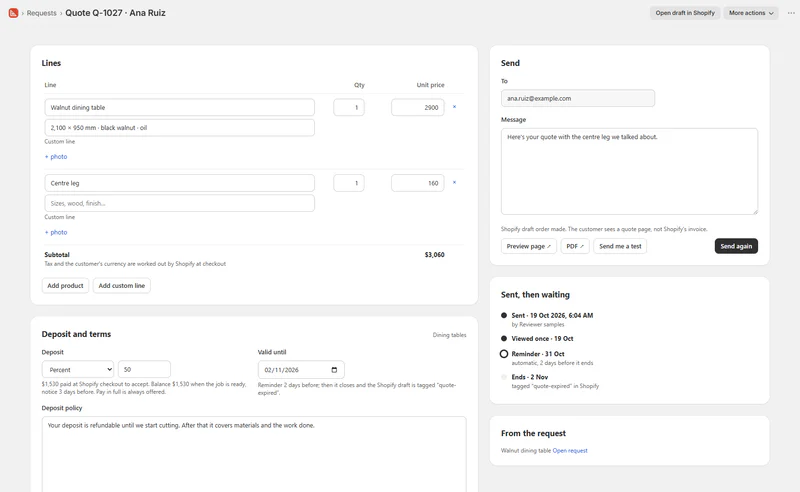
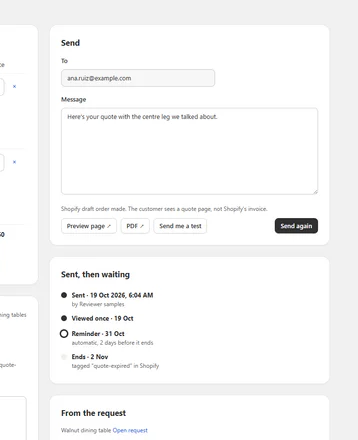
The quote made from the request: lines, the deposit, the terms the customer accepts, and what happened since it was sent.
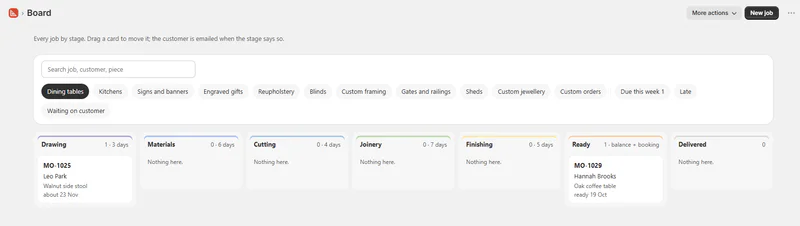
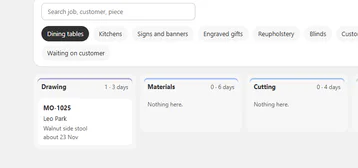
Every job by stage, your own stages, with the ready date on each card.
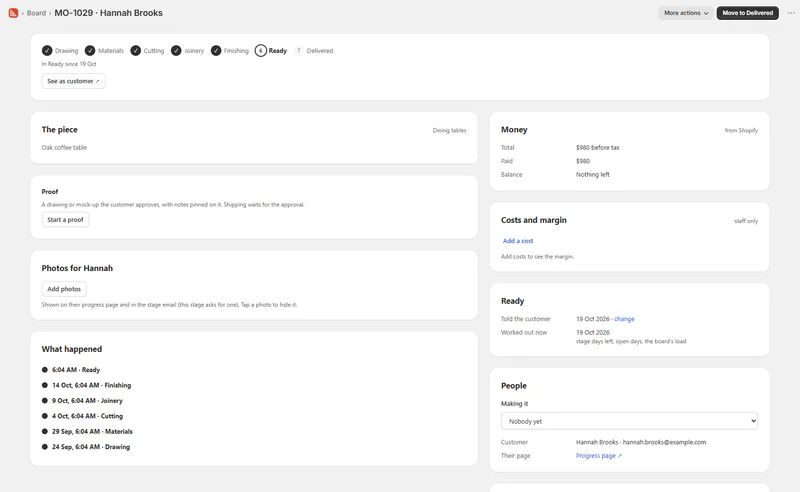
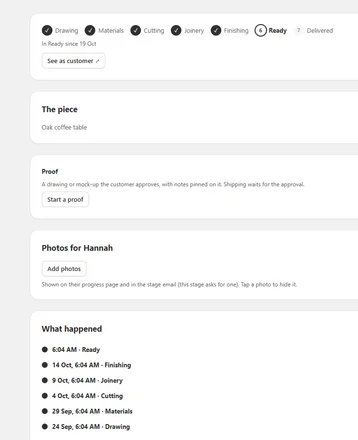
One job: the stages done, the money from Shopify, costs and margin, the ready date and every step logged.
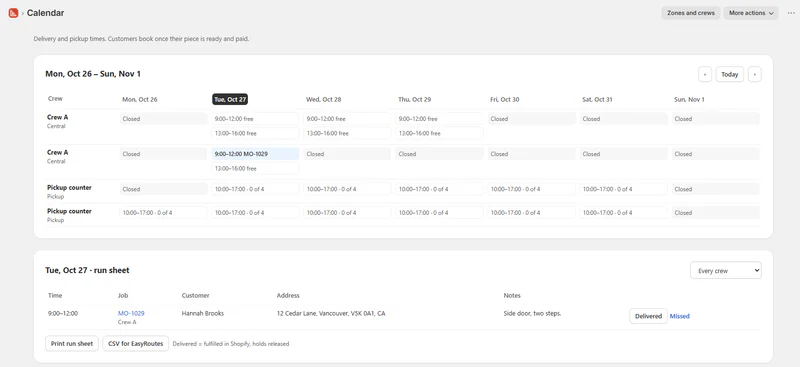
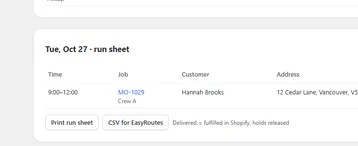
The week's delivery and pickup slots per crew, and the run sheet for the day with the address and access notes.
THE APP · 6 SCREENS · SWIPE
Who it's for
Shops that make or customise each piece to order.
- 01Furniture and joinery, cabinets and kitchensquotes from sizes, deposits, drawings approved before cutting, delivery booked when it's built.
- 02Signs, banners, engraving and personalised giftsartwork proofs with rounds, quick quotes from size.
- 03Upholstery, blinds and curtains, framingmade-to-measure forms with units and a price per size.
- 04Metalwork, sheds and outdoor builds, custom jewellerylong jobs with stages the customer can follow.
What you get
- A request form with measurements in mm, cm or inches, show/hide rules, a price per choice, photo uploads and a form per product type
- 11 trade presets that set up the form, stages and emails in one click
- Quotes from the request, accepted online, deposit and balance at Shopify's checkout
- Drawings with pinned notes, round limits, and shipping held until the customer approves
- A production board, ready dates, a progress page and a block on the customer's order page
- Delivery and pickup booking with zones, crews and a run sheet that EasyRoutes imports
- 27 customer emails (23 automatic, 21 on at install)
- Customer words on the form and customer pages in your storefront's languages
- Reports, CSV import and export, Shopify Flow triggers; orders with King, Globo or Easify options join the board too
What it can't do
- Take payments: every payment is Shopify's own checkout; the app shows what's owed.
- Plan routes: the run sheet exports a CSV that EasyRoutes imports.
- Text on an image preview, or stock of raw materials.
- Sell in store: for jobs taken at the till, see RNS Counter.
Plans and price
- 1 product type, 5 new jobs a month
- Request form, price guide, quotes (paid in full), stages and progress page
- 10 AI briefs a month, 1 person on the board
- 3 product types, unlimited jobs
- Deposits and balance, drawings to approve, pickup booking
- 100 AI briefs a month, 3 people, CSV and Shopify Flow
- Unlimited product types, everything in Maker
- Delivery booking with zones and crews
- Up to 1,000 AI briefs a month, 10 people, no "Made with RNS" on customer pages
- Everything in Workshop, unlimited people
- Up to 3,000 AI briefs a month, reports emailed every Monday
One free trial per shop. Billed by Shopify.
Questions
Do I need Shopify Plus for deposits?
No. The deposit and the balance are two Shopify checkouts, on any plan.
I already use an options app. Do I have to switch?
No. Orders bought with King, Globo or Easify options join the board as they are.
Can customers see their order's progress?
Yes, on a page with no login, from the link in every email, and on their order page in their account.
What happens to my data if I leave?
Export it first from Settings › Before you uninstall; we also email you the downloads the moment you uninstall. Everything is deleted 48 hours later.
Set up and use
6 steps
- Install the app. You start on Free; start a paid plan's 14-day free trial from Plan when you need deposits, drawings or booking. Test mode is on, so customer emails go only to your store's address.
- Home › What do you make? Pick your trade: it fills in the form, prices, stages and emails. Choose the products it's for.
- Add the request form from Home: it opens your theme editor with the block in place; press Save. Send yourself a test request.
- Requests: read the brief, Make quote, Send. The customer accepts and pays the deposit at checkout; the job lands on the Board.
- Board: move each job as it's built (on a phone: Next stage, with photos). At Ready the customer pays the balance and books a time; the Calendar prints the day's run sheet.
- Settings: opening days, emails on or off, your colour, customer words in each language. Turn Test mode off when the test email looks right.
Why RNS
- One app for the whole path, so the customer gets one link and you get one board
- Every payment is Shopify's own checkout, on any Shopify plan
- Never charged by order count
Learn more
- Related: RNS Quote Photos puts photos on any draft-order quote; RNS Counter takes special orders and repairs at the till.
- Your data: what the app reads and keeps is on the privacy page.
- Help: email support@rnsapps.com with your store address. We answer within one working day.