Order email copies for the people who pay the invoices
Shopify sends each order email to one address, and you can't CC an order confirmation email. But a business customer's accounts team needs the confirmations too, and so might your warehouse or bookkeeper. RNS Copy Order Emails sends them a copy automatically.
Free plan · Pro $15 a month · 14-day free trial · billed by Shopify
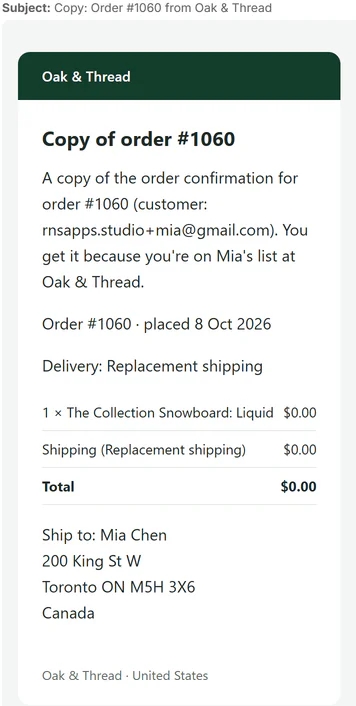
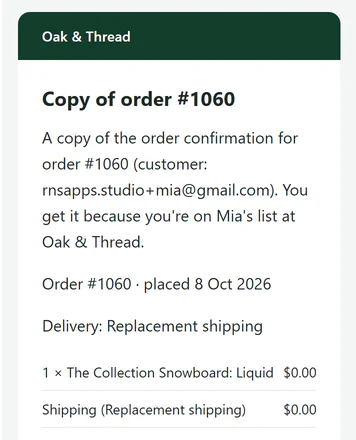
↑ the copied email header
How it works
- Add the addresses"always copy to" for every order, and up to 5 per customer, right on Shopify's customer page.
- A customer ordersas usual.
- Each address gets a copywith the same order details, from your shop's name. Every copy is logged, with Resend.
THE APP · 4 REAL SCREENS
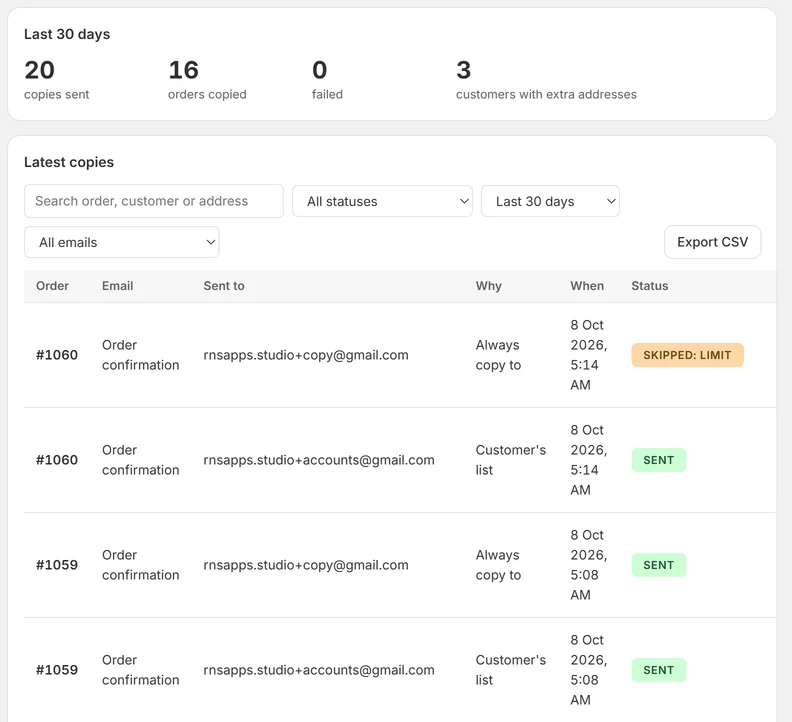
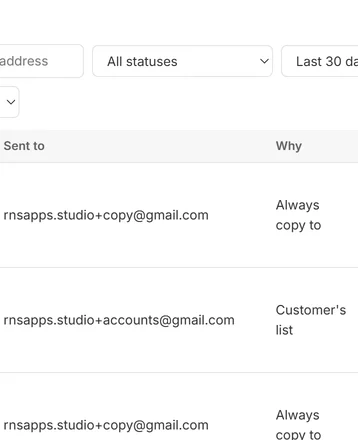
Home: order email copies, where each went and why.
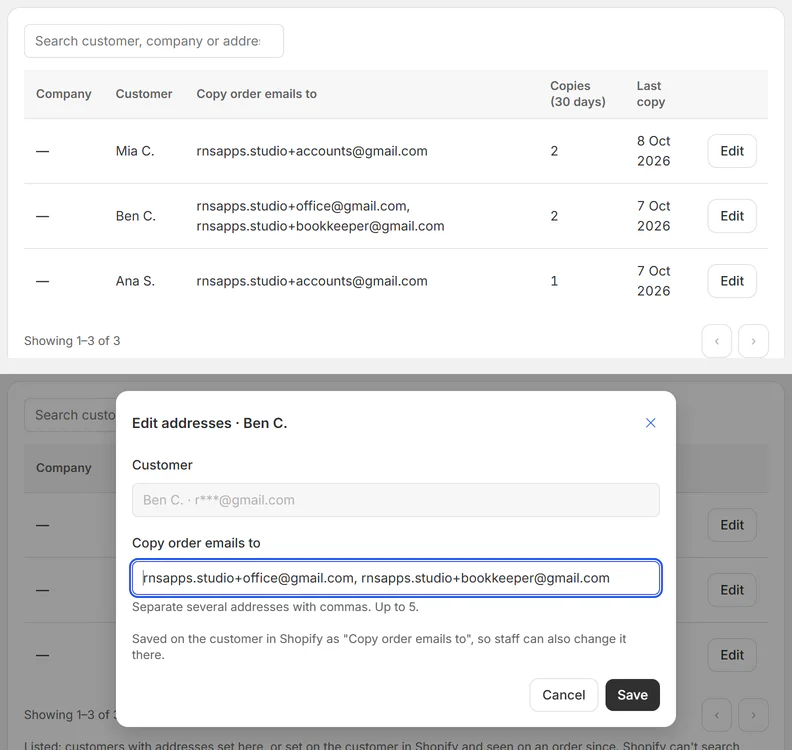
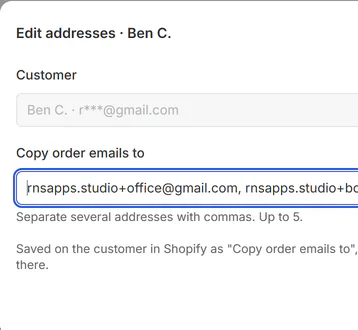
Customers page with the box to set copy addresses.
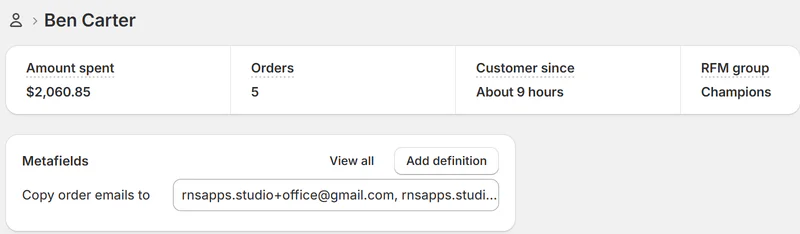
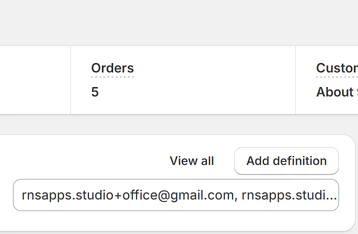
The Copy order emails to field on Shopify's customer page.
A copy of the order confirmation as the accounts team gets it.
THE APP · 4 SCREENS · SWIPE
What you get
- Copies order emails to extra addresses: accounts, warehouse, bookkeeper
- Set addresses per customer, or for every order
- Edit a customer's copy list right on their Shopify page
- B2B: every contact of a company shares one list
- Shipping, cancel and refund copies on Pro
- Every copy logged, with Resend and Send to a different address
What it can't do
- Apps can't add a CC to Shopify's own emails, so the app sends its own copy.
- Shipping, cancellation and refund copies are on Pro; Free copies order confirmations.
- The customer's own email address is never copied.
Plans and price
- 20 copies a month
- Order confirmation copies
- Unlimited copies
- Shipping, cancelled and refund copies, a copy to you
Questions
Where do I add a customer's copy addresses?
In the app (Customers › Add customer) or on Shopify's customer page under Metafields › Copy order emails to. The app adds that field and pins it for you, so staff see it on every customer.
Is the customer's own email copied?
No. Copies go only to the extra addresses.
Which emails are copied?
Order confirmation on every plan; shipping confirmation, cancellation and refund on Pro (tick them in Settings).
What does the app read about my customers?
The name and email on the order, the order details that go in the copy (items, totals, shipping address), the copy addresses you add, and for business customers their company's contacts.
Set up and use
5 steps
- Install the app: it opens on Home, already on Free (upgrade any time on the Plan page). Copies go out from the first order.
- Add addresses: Settings › Always copy to (e.g. the warehouse, every order), and/or per customer on the Customers page (Add customer → search → "Copy order emails to", up to 5, comma-separated). The same field shows on Shopify's own customer page (Metafields card), so staff can edit it there too. B2B: every contact of a company shares the lists (setting, on by default).
- Check the wording in Email templates (4 tabs: Order confirmation; Pro: Shipping confirmation, Order cancelled, Refund) and send yourself a test. To try it without real copies, turn Test mode on in Settings (copies then go to your store's own address).
- Every order email Shopify sends (order placed; Pro: shipped with tracking, cancelled, refunded) is copied to each address, never to the order's own email. Home lists every copy with where it went and why; a row opens the copy as sent, its timeline, Resend and Send to a different address.
- Pro: tick the later emails in Settings › Shipping, cancel and refund copies (off at first).
Why RNS
- One Pro plan has every copy type: confirmations, shipping, cancellations, refunds
- No higher tier to unlock a feature: Free, then Pro at $15
- Free for up to 20 copies a month
Learn more
- Guide: How to CC order emails to a customer's accounts team in Shopify
- Help: email support@rnsapps.com with your store address. We answer within one working day.